
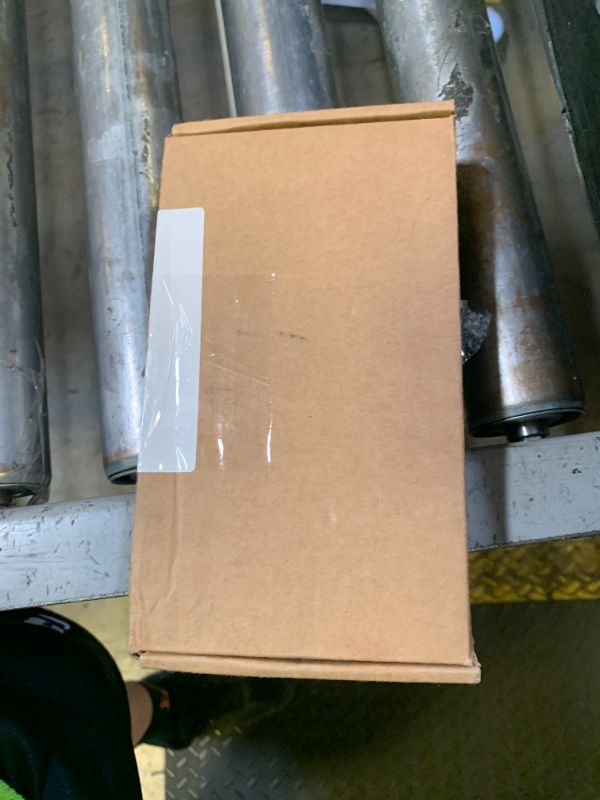
JMBTQ for Glaxy Note20 Ultra LCD Screen with Frame Replacement for Samsung Galaxy Note20 Ultra 5G SM-N986B SM-N985 SM-N986U 6.9" LCD Screen Display Touch Digitizer with Frame+Tool ((Bronze))
JMBTQ for Glaxy Note20 Ultra LCD Screen with Frame Replacement for Samsung Galaxy Note20 Ultra 5G SM-N986B SM-N985 SM-N986U 6.9" LCD Screen Display Touch Digitizer with Frame+Tool ((Bronze))

Description
for Glaxy Note20 Ultra LCD Screen with Frame Replacement for Samsung Galaxy Note20 Ultra 5G SM-N986B SM-N985 SM-N986U 6.9" LCD Screen Display Touch Digitizer with Frame+Tool
Item Details
Seller

Nellis Auction
Pickup Location
7440 Dean Martin Dr Suite 204
Las Vegas, NV, 89139
Quality
Estimated Retail Price
$73.83
Buyers Premium
15%
Inventory Number
1073645944
Found in
Additional Details from the Manufacturer
This item information is coming from the manufacturer. Some of the details may vary from the Nellis Auction listing. Please check the Quality Rating and Notes for information specific to this listing
brand
JMBTQcolor
(Bronze)dimensions
Package: 0.44 lbMore features
- ★Compatibility:Perfect fit for Samsung Galaxy Note20 Ultra 4G/5G:SM-N985F,N985B,N985U,N986B,N986U,N986A(Not for Note 20).Please check the model number of your device before purchasing this Item. You can find the model type of your device on your device and / or in the settings..(Fingerprint Recognition is not Supported)
- ★Include:To Avoid the Problem after installing,Please Choose the Right Model for your phone,and test it before installing it,if There is Problem,You Can also Contact us Before Purchasing it,you will help you find the right model
- ★Notice:Don’t press LCD hard,it’s easy to damage.Please test screen before installation.Then keep your phone power off and disconnect the battery cable when assembling.When removing the back cover glass, please heat it with a hot gun and you should be careful not to damage the glass.If you are doing this for the first time,please search on Youtube and follow the video step by step. Enjoy the fun of DIY(Do It Yourself).
- ★Service: All quality related issues. Please feel free to contact us, and we will reply within 24 hours.
- ★The tools and two 3M adhesive tapes are included, no instructions, there're lots of instruction videos on YouTube, you can check them out.
Online Reviews
3.5/5
Based on 2 ratings
This score is based on 2 recent reviews from online retailers.
Be sure to check our Quality Rating and Notes above for more details on this listing.
See the deals
Get in on the action, thousands of new items added daily. Bid and win!
Start bidding now