
Explore Products
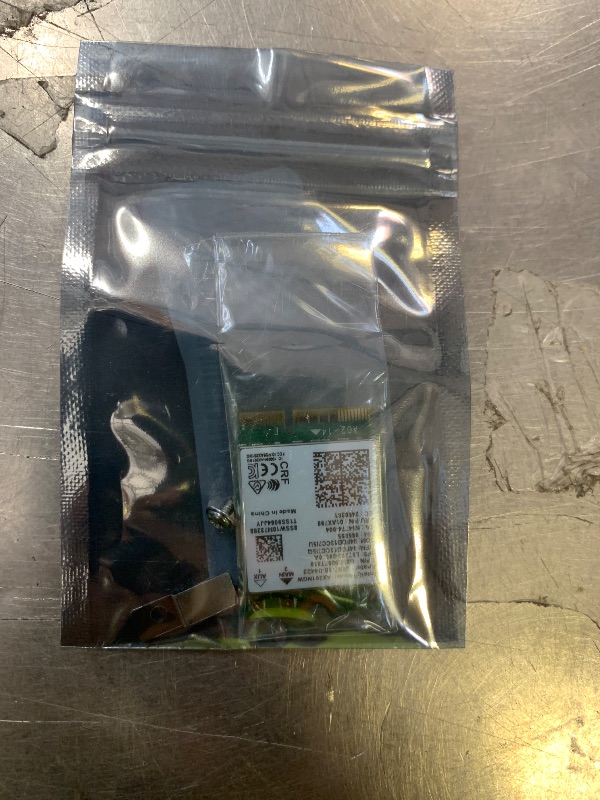
AX201NGW WiFi 6 Card, M.2 Laptop 2.4Gbps 802.11ax. AX201 Wireless Card 11AX WiFi Adapter with Bluetooth 5.2 Mu-Mimo for Windows 10/11 64-bit, Google Chrome OS, Linux(64bit)
AX201NGW WiFi 6 Card, M.2 Laptop 2.4Gbps 802.11ax. AX201 Wireless Card 11AX WiFi Adapter with Bluetooth 5.2 Mu-Mimo for Windows 10/11 64-bit, Google Chrome OS, Linux(64bit)

Item Details
Seller

Nellis Auction
Pickup Location
7440 Dean Martin Dr Suite 204
Las Vegas, NV, 89139
Quality
New
Functional
No Damage
No Assembly Needed
In Package
No Missing Parts
Auction closes
-Estimated Retail Price
$19.99
Buyers Premium
15%
Inventory Number
1082289104
Additional Details from the Manufacturer
This item information is coming from the manufacturer. Some of the details may vary from the Nellis Auction listing. Please check the Quality Rating and Notes for information specific to this listing
brand
MQUPINdimensions
Package: 0.01 lbweight
0.01 lbsMore features
- AX201NGW wireless card is only For Windows 10/11(64-bit*), Google Chrome OS*, Linux*(Linux need 5.2 kernel system above ), HP and Lenovo computers prior to the second half of 2016 are not supported
- [Laptop Installation Guide]: Before installing the AX201NGW in your laptop, first verify model compatibility. Then, disconnect the power supply and open the casing. Locate the original network card and remove it. Insert the new network card into the slot and secure it in place. Finally, gently snap the IPEX 4th generation antenna connector into position, then replace the rear cover.
- [Desktop Computer Installation Guide]: Prior to installing the AX201NGW, verify that your motherboard and CPU support Intel CNVi technology. Open the computer case, locate the expansion slot, insert the network card, align it with the screw holes, and secure it firmly. Next, mount the antenna base into the designated case opening and carefully plug both antenna cables into the network card ports, ensuring a tight connection to prevent signal degradation. Finally, replace the case side panel.
- High Effiency: High-quality circuit module board with mini body, efficiently avoid from corrosion and abrasion, durable and portable to use
- New Bt5.2 Function Equipped With Bt 5.2 Technology: Support connecting with Bluetooth headset, Bluetooth stereo, Bluetooth keyboard, Bluetooth mouse and others for more conveniences and demands. Efficient WiFi Emission Insert it in a desktop computer to build wireless WIFI signals. Mobile phones, laptops, tablet, PCs are able to connected
- Wireless Dual-Band Wifi Adapter: Support 2.4GHz band or 5GHz band to all your devices blazing wireless transmission rate up to 574Mbps,IEEE 802.11b,Complies with IEEE 802.11g,IEEE 802.11n standards
- Connector Interface: A computer that requires 10 generations of CPU can be used, and the interface is M.2 CNVio2
- [Important Notes]: Before proceeding, ensure all power sources to the computer are disconnected (unplug the power cable and remove the laptop battery) to prevent static electricity and short circuits.
Online Reviews
4.4/5
Based on 49 ratings
This score is based on 49 recent reviews from online retailers.
Be sure to check our Quality Rating and Notes above for more details on this listing.


Getting Started
Learn more about bidding, winning, pickup, and more on our video tutorials page.
Visit Video Tutorials